Free tool
Free X / Twitter Follower Tracker & Checker
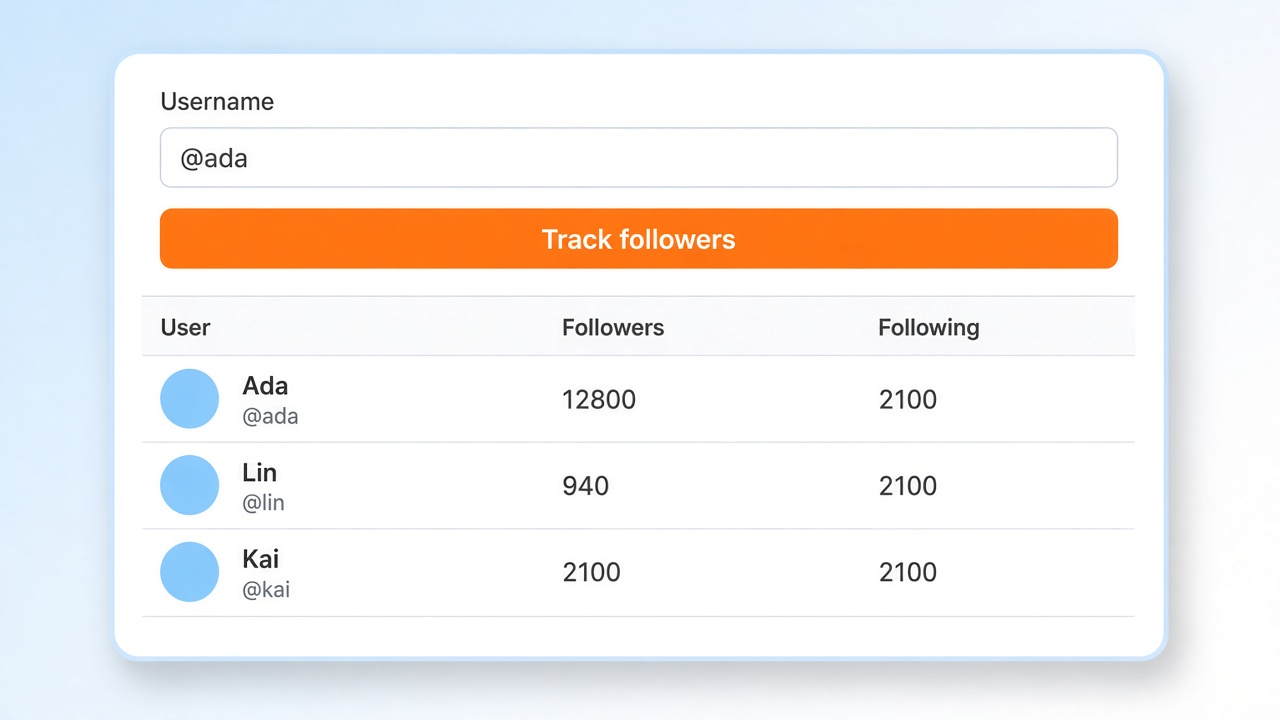
Enter any public X / Twitter username to view recent followers, see follower and following counts, and export the list as CSV — or copy names and user IDs in one click.
What you get
A public snapshot you can read in the browser. No account, no install.
Public only
Looks up a public profile. Protected accounts stay closed.
One page
Returns a recent page of followers so you can preview before a deeper export.
Export
Download CSV, or copy @handles and user IDs for a spreadsheet.
No login
Runs in the browser. You do not sign in to X.
How it works
Step 1
Paste an X / Twitter username or profile URL.
Step 2
Complete the quick security check, then run the tracker.
Step 3
Review the follower list, export CSV, or copy names and user IDs.
Who this is for
Built for people who need a public follower list — without installing anything first.
Social media marketers
Spot who recently followed a competitor or partner so you can prioritize outreach without scrolling forever.
Sales & recruiters
Pull a shortlist of engaged accounts, export handles or IDs, and drop them into your CRM or enrichment stack.
Creators & researchers
Audit a public audience snapshot — names, follower counts, and bios — before you invest time in a campaign.
Check someone's recent followers
Paste a public username and review one page of recent followers with counts. This is a follower list check, not a mutual-follow check, and not a fake-follower audit.
One public list
Enter an X / Twitter username or profile URL and see a page of recent followers, with follower and following counts when they are available.
A list check
Use it when you want to check who recently followed a public account before you scroll the profile yourself.
What it does not do
It does not tell you whether account A follows account B, and it does not score bots or fake followers.
FAQ
Do I need to install an extension?
No. This free tracker works in the browser. Install X Tracker only if you want lost and new followers, mutuals, and multi-account history.
What can I export?
You can download a CSV of the returned followers, copy a name list (@handles), or copy a user ID list for spreadsheets and tools.
Why does it only show some followers?
The free web tool returns one page of results so you can preview quickly. X Tracker follows changes across unlimited accounts inside the Chrome extension.
Does it work on private accounts?
No. Only public profiles can be looked up.
How can I check someone's most recent followers on Twitter?
Paste their public X / Twitter username. This Twitter follower checker returns one page of recent followers with counts. It does not check whether two accounts follow each other, and it does not audit fake followers.
Related free tools
X / Twitter Following Tracker
See who a public account follows, then export CSV or copy name and user ID lists.
Open toolX / Twitter Follower Counter
Check the public follower count, following, posts, and media for any X / Twitter profile.
Open toolX / Twitter Profile Viewer
View a public profile card — name, bio, avatar, and counts — without an X login.
Open toolTrack more accounts with X Tracker
Watch competitors and your own accounts together. X Tracker shows lost followers, new followers, and who does not follow you back.
 X Tracker
Track multiple X/Twitter accounts, monitor competitors, and unlock powerful multi-user analytics
Products
- Twitter DM Bot
- Twitter Boost Bot
- Twitter Follow Export
- Twitter Search Export
- Twitter Replies Export
- Twitter Likes Export
- Twitter Retweets Extracter
- Twitter Quotes Extracter
- Tweet List Export
- Tweet Community Export
- Tweet Export
- Twitter Group Chat Sender
- Twitter Mass Follow
- X Media Downloader
- Twitter Mass Replies Hider
- Twitter Mass Add List Members
- Twitter Profile Enrich
- Mastodon Social Export
Links
Need Help?
Send us an email at help@extensionsfox.com if you have any questions. We'll help you out.
© Copyright 2026, All Rights Reserved by ExtensionsFox.com